

User Guide
This guide helps you quickly understand the interface and start executing more confidently in the crypto market.
1. Quick start and interface setup
After the first login, you open the Dashboard — your main workspace. SpreadEx is fully customizable and built from separate modules (widgets).
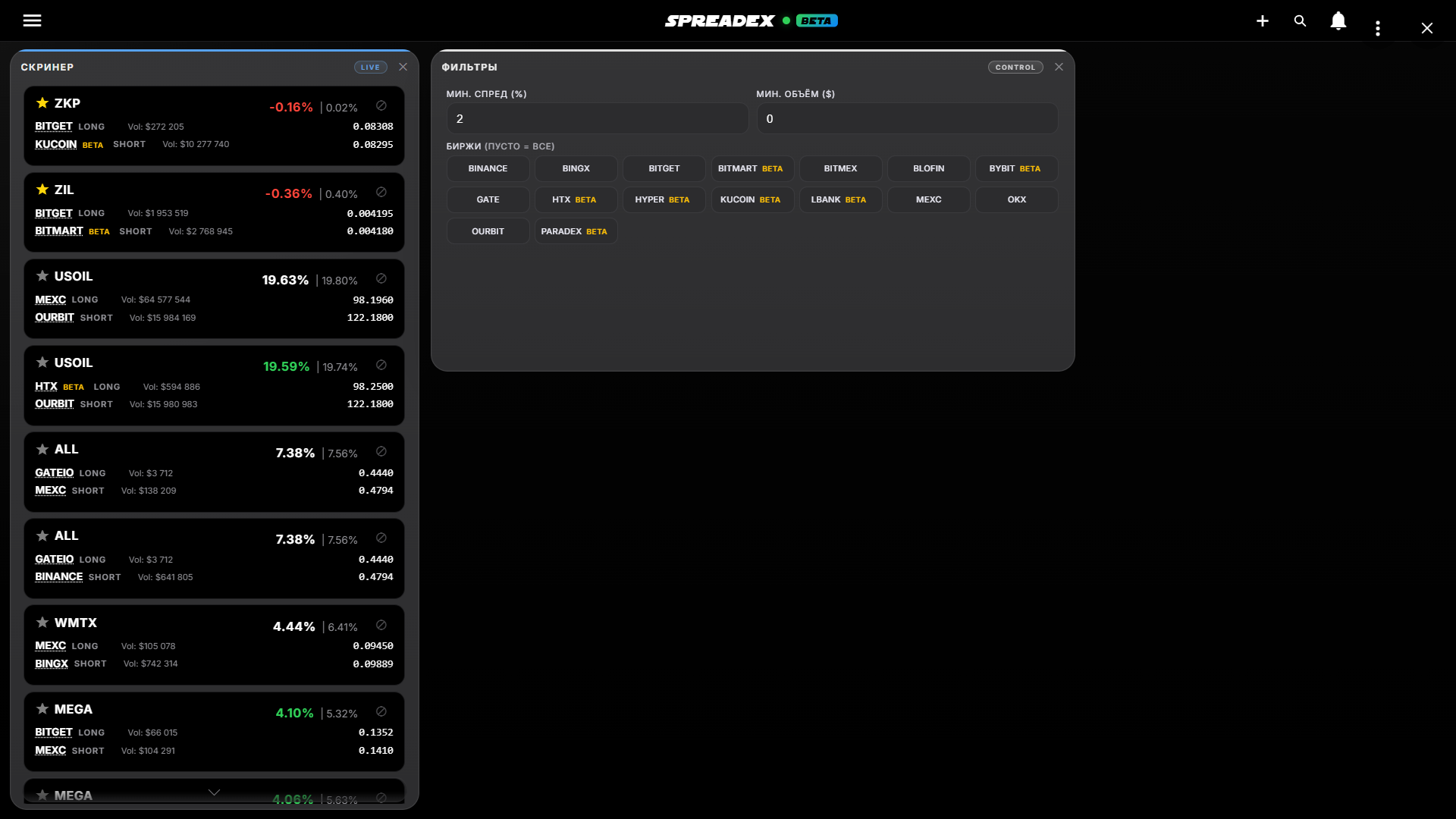
Module management:
- Add: Use the plus button in the top-left corner.
- Arrange: Drag and resize widgets for your workflow.
- Multitasking: Open several identical modules at once.
By default, the Dashboard includes:
- Screener — core signal monitor.
- Filters — parameter setup panel.
2. Arbitrage screener: finding opportunities
The Screener is the core of the system. It shows live arbitrage situations between exchanges as cards.
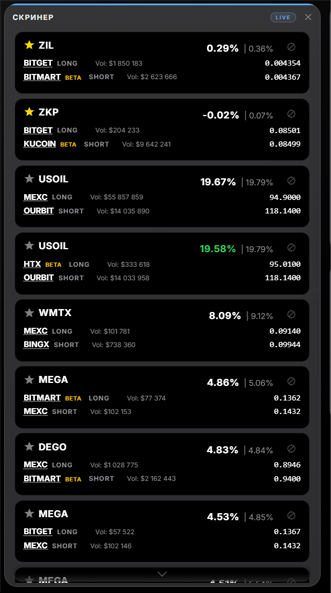
Basic setup:
- Sorting: Cards are ranked by spread descending.
- Minimum spread: Opportunities from 1%.
- Trading volume: Filter for assets with daily volume from $1M.
Signal card:
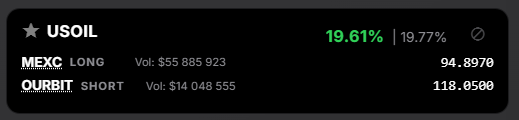
- Asset: Cryptocurrency ticker.
- Exchanges: Buy side (Long) and sell side (Short).
- Prices: Live quotes on both exchanges.
- Spread and volume: Current edge and liquidity.
3. Working with signals and analysis
SpreadEx helps not only monitor spread, but also move quickly to execution.
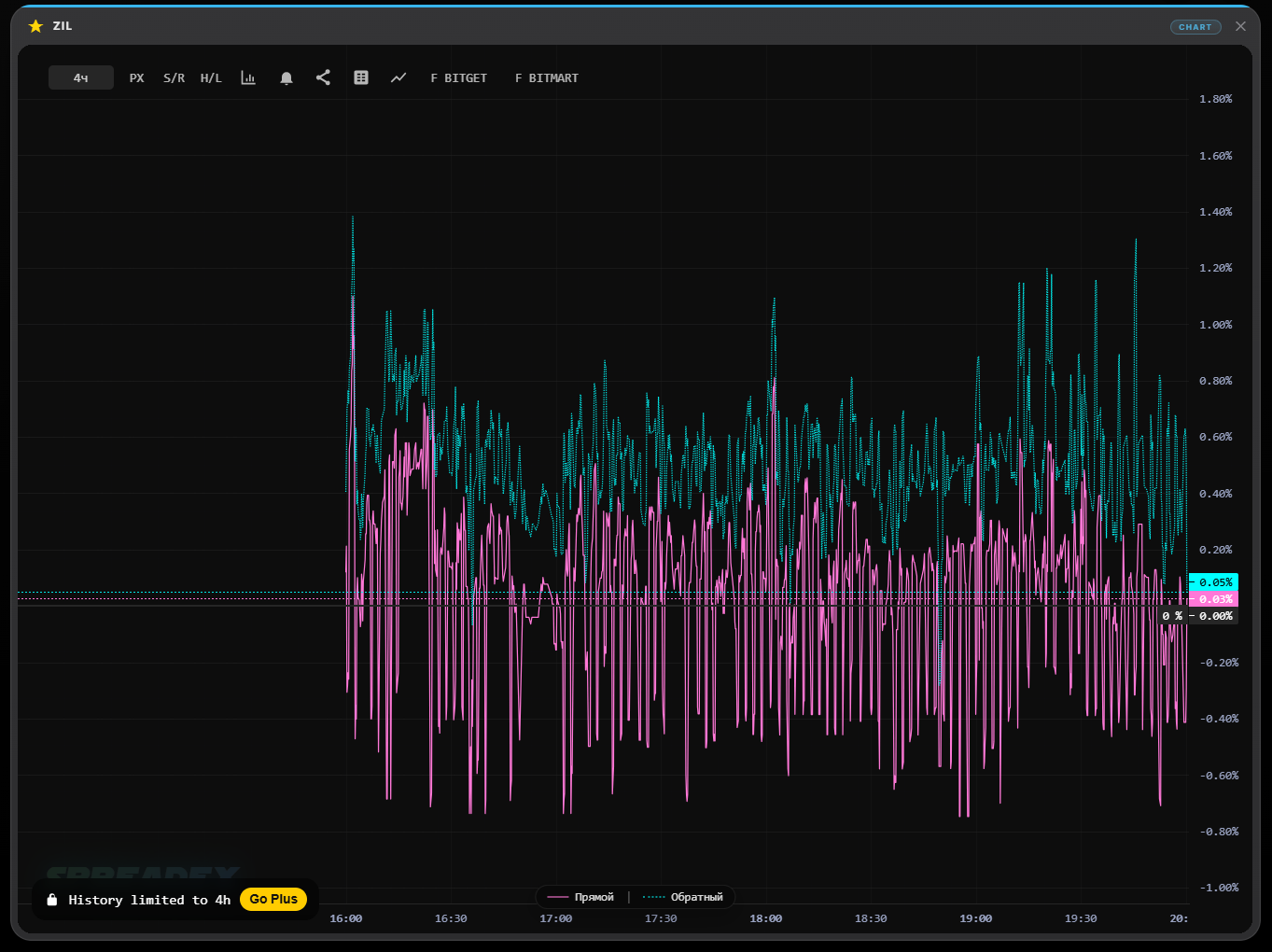
- Deep analysis: Open chart and order-book context.
- Go to execution: Open the instrument page on exchange instantly.
- Favorites: Save interesting assets for tracking.
- Blacklist: Hide irrelevant combinations.
4. Fees and liquidity
- Realistic profitability: Spread shown with fee impact considered.
- Why it matters: Raw spread may disappear after costs.
- Analysis mode: Fee accounting can be toggled for market research.
5. Filters and notifications
Use the filter module for precise tuning.
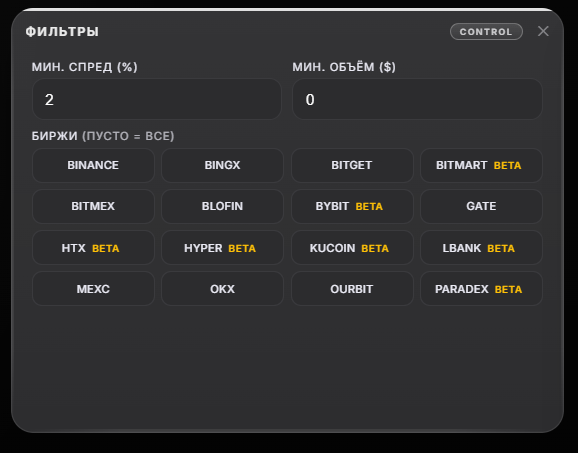
Side menu includes advanced options:
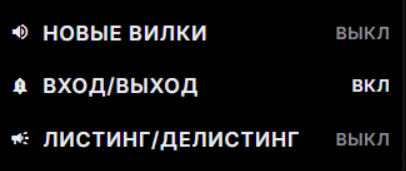
- Sound notifications: Alerts on new opportunities and entry/exit events.
- Connector tests: Check latency, freshness, and depth quality.
- Multi-cards: Grouped routes for the same asset with best route first.
6. Practical recommendations
- Open Screener and wait for a suitable spread signal.
- Check volume and spread stability.
- Use direct links and execute quickly.
⚠️ Remember: Arbitrage windows can close very quickly. Always verify liquidity and possible slippage.